Pages

BLOG SEARCH HERE

Monday, October 27, 2014

FIVE WAYS TO STOP BEING JUDGMENTAL


FIVE WAYS TO STOP BEING JUDGMENTAL


FIVE WAYS TO STOP BEING JUDGMENTAL

If that feeling of, “I’m better than thou,” creeps up on you while comparing yourself to someone else, consider the following:

1. Consider the saying, “Some saints have a past and many sinners have a future.”

Being a ‘saint’ isn’t guaranteed for any one person for a lifetime. But the path to God’s forgiveness is always open and especially tailored just for the one who makes a mistake and regrets it and seeks to change, even if it’s over and over and over.

2. Think about our sins and shortcomings.


Oh, wait, can’t think of any? If we can’t, we’ve been deceived by Satan and are in an even worse state than any of those whose blatant sins we perceive.

3. Remember the Prophet Muhammad ﷺ said: “No one with the slightest particle of arrogance in his heart will enter Paradise.” (Bukhari)

Sometimes the actions we see others engaged in may be sins, but may not be as serious as the problem of arrogance. In wanting others to act like they’re people of Paradise, let’s be careful not to make ourselves candidates to be barred from it. May Allah protect us.

4. Ask ourselves: Is that person a parent?

If they are and we aren’t, they’re already light-years ahead of our game. If she’s a mom, Paradise is potentially below her feet. If they are a mom or dad, any good they taught their kid and their kid acts upon are rewards going straight back to them. How are we going to compare ourselves to that? If they are and we are, consider: what great work might their progeny do that may be because of one lesson that person taught them?

5. Remind ourselves: We have no idea what another person has gone through or where they’re really coming from.

How many people were physically beaten in order to make them pray, pressured into wearing hijab, or sexually abused by a “religious” individual? Our minute interactions with individuals are not a gateway to their backgrounds and past struggles. We don’t know the pain they’re working through. And sometimes, due to those very painful experiences, people leave the practice of Islam or leave Islam completely. But then they sometimes choose to come back. And when they do, it will take time. They have to work through their emotions, the toxic relationships which originally caused the schism they experienced with Islam and the difficulty in finding a niche in a community after leaving it for some time. And all of that is jihad. Everyday they are waging internal battles.

What they go through cannot quite be compared with the young man or woman who was raised in a supportively religious household, who was a part of a nurturing mosque community, who was put in Islamic school since kindergarten and taken to Qur’an classes everyday. A twenty-year-old hafith (one who has memorized the entire Qur’an by heart) might be impressive and may God bless them and He has raised their status in a special way. But they may not necessarily be closer to God or earning more rewards from God than the struggling servant who has dealt with incredible hardship and is struggling to come back.

So, what can we do when that ‘holier than thou’ feeling creeps in?

Think: Omar, RadiyAllahu Anhu, used to be a hostile Islamophobe who would beat his servant for her belief in God. Now, he is known to us as one of those promised Paradise by the Prophet ﷺ himself. Would he have been our role model if we knew him before Islam? Maybe not. But look who he became. You know why? Because, by God’s guidance and mercy, he had a teacher and a community who helped him reach his full potential.That’s what we need to be for others and allow others to be for us. Be a loving mentor. Be a supportive friend. Be an encouraging counselor. Be a shoulder to cry and lean on. Your awesome love for Islam and “Muslimness” will be communicated simply through your actions of being there for others in an uplifting, genuine way. If applicable, when someone is ready, that person will ask you about Islam and seek your help in becoming the best Muslim they can be, God willing. Or perhaps they’ll be more open to listening to your sincere, gentle advice on something you’re truly concerned about because of your love for them. This perspective does not mean we do not advise others when we’re concerned for them, it simply means we do so while withholding judgment and in a methodically wise way.

Be like the Prophet ﷺ. Engulf your heart so deeply in caring for people’s happiness in both worlds that it simply does not have space for judgment or arrogance. And perhaps, because of your sincere acceptance of another, you’ll soon find that very person being a means of guidance for your own self.

4 TIPS FOR RETURNING OUR HEARTS TO ALLAH


4 TIPS FOR RETURNING OUR HEARTS TO ALLAH


4 TIPS FOR RETURNING OUR HEARTS TO ALLAH
I was driving home from an appointment yesterday and something happened.
It’s not the first time it has happened, and it probably won’t be the last.
There was much on my mind, and even though I knew exactly what route I needed to take, I looked up and realized I had driven far past the place where I was supposed to turn.
Coupled with that realization was the question: Where was I?
Many of us have experienced such instances—we are driving or walking somewhere, and then our minds start to wander and we suddenly realize we have no idea where we are. These moments can be startling, and one might wonder, “What on earth could have distracted me so much?”
When we find ourselves in unfamiliar physical surroundings we follow relatively simple, logical steps to get ourselves back on track. After recognizing that we’re lost, we use whatever resources are available to us (people, maps, GPS enabled devices) to figure out where we need to go. Then we physically start moving in the right direction.


Similarly on the journey to Allah, there are times when we simply have no idea where we are. Allah has shown us the route we are supposed to take, but sometimes it is our hearts, rather than our minds, that get distracted. We miss a “spiritual” turn and as a result, our hearts get thrown off their route. We feel lost, our path blurred and our destination unclear
When we find ourselves lost on the journey to Allah we need to know how to help get our hearts back on track. The heart is a subtle, amazing creation of Allah, and therefore, helping it get back on the right path may not be as simple as following a few logical steps. Those who have journeyed on the path to Allah before us tell us that it requires determination and persistence, but the end result is well worth the effort.
Where, then, should we begin?

1. BEGIN WITH ALLAH ALMIGHTY
Allah promises He will guide us, but we have to begin with Him
When we find ourselves distant from Allah, we wonder how we ever got there. We could ask probably to spend a lot of time figuring this out, understanding what it is that distracted us from our path. But this information, albeit useful, will not really help us at the beginning.
Paradoxically, the most important place to begin when we feel distant from Allah is with Allah. This seeming paradox is part of the profound nature of the relationship Allah has with His slaves. We should turn to Allah, sincerely and humbly, and ask for His help and forgiveness. Allah promises He will guide us, but we have to begin with Him. This turning or returning to Allah is achieved through the process of tawbah (repentance).
Often times we think of tawbah as something we should do only after we have committed some huge sin. But tawbah is much more than that. It can simply mean redirecting our hearts towards Allah after they have been directed elsewhere, redirecting our energies to His worship or purifying our intentions for Him more frequently.
Why is this necessary?
Because this tawbah, this return, is the essence of the struggle and of the journey itself. This tawbahis what gives us the energy to start moving and the momentum to keep doing so. Allah tells us in numerous places that He will guide those who seek Him.
And, “Indeed, Allah leaves astray whom He wills and guides to Himself whoever turns back [to Him].”
(Quran 13:27)
Allah also tells us in a hadith qudsi that He will come running to those who begin moving toward Him. Thus, we have to first turn to Allah and recognize our absolute reliance on Him.  It may seem like a subtle movement of our hearts, but it opens the door for the journey ahead.
2. LOOK FOR LANDMARKS
As we journey with our hearts to Allah, we need to follow the guidance He has laid out for us.
Allah Almighty tells us that there are signs for us everywhere as we journey through life.
“There are many Signs on earth for those of sure faith, and also in your own selves. Do you not see?”
(Quran 51:20-1)
Too often, however, we get caught up in our daily routines, and we fail to see the signs Allah has put around us. This is especially true when our hearts are distant from Allah. We fail to realize that everything that happens to us, every person we meet, every thought we think and every word we hear or utter is by the decree of Allah. In all of this are signs.
It is extremely useful to step back from our busy lives and look for “landmarks” that tell us about where our hearts have strayed. What people, places or things have affected our path? Did a new relationship, responsibility, or job cause us to lose sight of our journey to Allah? Did some sort of wealth, power, or status take pull too strongly on our hearts and cause them to deviate?
The answers to such questions can often help us create a map for our hearts—an outline of what we should keep doing and what we should avoid.
3. START MOVING IN THE RIGHT DIRECTION
In the physical world, a map does little to help us if we just sit and blankly stare at it. We have to process what the map tells us and start moving in the direction it tells us to.
Often we procrastinate, saying we’ll start the process “tomorrow,” or “later”.
As we journey with our hearts to Allah, we need to follow the guidance He has laid out for us. When we get lost or distracted, sometimes we can figure out what we need to do to get back on track; but rather than do it, we just sit. Our nafs (inner self) feel heavy and our hearts get restless because they are unable to move in the right direction.
Often we procrastinate, saying we’ll start the process “tomorrow,” or “later”. The only problem with this is that later may never come. Recently we prayed janazah in our community on a man who had just the day before said good-bye to his mother and gone out of the house only to die in a car accident a few hours later. His “later” never came, and ours is not guaranteed either.
So we should immediately turn to Allah and start back on the journey to Him. We may live many years and be given the chance to get closer and closer to Allah with our hearts and actions, but if Allah decrees otherwise for us, then at least we will meet Him having begun to change for the better.
Allah tells us:
“Every soul shall taste death.”
(29:57)
But seldom do we use this reality to change how we go about the minutes, hours and days we spend in this life.
If we knew the exact moment at which we would depart from this world, we would probably be a lot less distracted on our journey. Some of us might make more effort to worship Allah and make sure that no time was wasted. Others of us might give up those bad habits or sinful actions that we know would displease Allah and repent from them. Still others of us would spend more time purifying our intentions in all things and ensuring that our hearts were directed toward Allah.
Maybe we want to do all of these things, but maybe sometimes we’re afraid to admit it. The reality, though, is that we all have things we need to work on.
We all have worship that we need to increase and perfect.
We all have things we need to repent from.
We all have spots on our hearts that need to be polished before we present them to Allah.
So why are we waiting until it’s too late?
4. BE CONSISTENT
Rather than try to fix everything we want to fix overnight, we should choose one area…
Sometimes when we feel the burden of changing is just too great, we begin to doubt if we can do it at all. When this occurs, we should remind ourselves that all we are asked to do is start, even if our start is small. Rather than try to fix everything we want to fix overnight, we should choose one area where we can improve and try our best to be consistent in our progress. So if our prayer is a mess, we should address this. However, we should focus on making small, consistent improvements rather than try to fix everything at once.
Once we’ve become consistent in one area, we should begin doing more. As we strive to improve, we should remember to often ask Allah for help and not get deterred if we slip. We should surround ourselves with people who remind us of Allah, and when we do make a mistake, which undoubtedly we will, follow it with an act of goodness and repent to Allah sincerely.
Amazingly, one of the hadiths that remind us of how happy Allah is when we return to Him, evokes the same feelings and emotions that one of us would have when we are lost and then find our way. The Prophet Muhammad tells us:
“Allah is happier about the repentance of one His slaves, than one of you would be about finding your camel which had strayed away from you in the middle of the desert.” (Al-Bukhari and Muslim, 15)
Undoubtedly, we would feel lost in the middle of the desert without a mount—it’s the same sort of feeling we have now when we find we’ve missed our turn because we got distracted on our way. And as happy as we might feel when we figure out how to find our way, Allah is happier than that when we return to Him and repent.
May Allah grant us all the resolve to reroute our hearts towards Him and the patience and persistence on our journey that will allow us to arrive at jannah in both this world and the next.

Sunday, October 26, 2014

BEAUTY OF NATURE


http://afctech2day.blogspot.com/2014/10/beauty-of-nature.html#more

BEAUTY OF NATURE


DOWNLOAD FROM HERE

PLEASE LEAVE A COMMENT BEFORE U LEAVE

Keyboard Shortcuts


Keyboard Shortcuts

Copy only active window to clipboard Normally, the Print Screen key copies the entire display (or two displays if you got them), ALT + Print Screen only copies the currently active window to the clipboard. Whether taking a screenshot to diagnose a problem, or just because you want to show something to a friend, this will come in handy.
Fix those little mistakes Did you know you can undo almost any action? CTRL + Z is the ultimate hot key, and for sure you knew about it already, however note that undo doesn’t just apply to typing. If you accidentally delete or move a file, you can hit CTRL + Z to bring it right back to where it was. In Chrome and Firefox you can also undo closing a tab using CTRL + SHIFT + T.


Cycle through open windows Pressing ALT+TAB allows you to cycle through currently open windows. This makes switching back and forth between running processes quick and painless. If you want a more stylish method of cycling through open programs, Windows + TAB will do the job for you.
Interrupt all processes CTRL + ALT + Delete is one of the most common PC shortcuts, and one almost everyone is familiar with. The important thing to note is that it interrupts all processes, including the one that is bogging down your system, which can mean the difference between needing to restart or not.
Close the current program Typing ALT + F4 will close the program that is running. This is useful as it saves you time mousing over the "X" and clicking. People will often use this as a joke, telling you to press ALT + F4 to fix a problem. Don’t fall for it unless you want to close what you are doing.
Minimize all windows Sometimes you have a bunch of stuff running, and you want it all to go away so you can get to the desktop. Simply pressing Windows + D will minimize everything you have up, which will save you some time pressing the minimize button for each window. It should be noted that Windows + M offers similar functionality, but there is no undoing, so Windows + D is the more favorable approach.
Open the task manager directly If you want to bypass the interrupt that happens when pressing CTRL + ALT + DEL and jump right to the task manager, typing CTRL + Shift + ESC launches it directly.
Close the current window/tab Stick of moving all the way to that X button? Press CTRL + W and the current window will close. (Don’t do it now, or you will miss the rest of the tricks!)
Bring up the system information window This is so much quicker than digging this out the traditional way... Just press Windows + Pause/Break and the System Information panel will be ready to go. This might be the only use for the Pause/Break key you will ever find, so enjoy it!
Better multiple monitor control There are several useful keyboard shortcuts for controlling open windows on multiple monitors. Pressing the Windows Key + Arrow Keys will cause a window to quickly snap to each side of either monitor. Alternatively, hitting Shift + Windows Key + Arrows will cause the window to jump to the other monitor. Lastly, pressing Windows + P will allow you to quickly set up a second display or projector.

Web Browsing Tricks

Automatically add www. and .com to a URL You can shave off a couple of seconds typing in a URL by simply click CTRL + Enter after you type the name of the site. Need .net instead of .com, press CTRL + Shift + Enter instead.

Jump to address bar There are a number of ways to jump right to the address bar from anywhere in browser. Pressing CTRL + L, F6, and ALT + D all accomplish this goal.
Bring back a closed tab We covered this already, but it's super useful. Accidentally closed a tab? Simply press CTRL + Shift + T to reopen the most recently closed tab and get back to what you were doing.
Use private browsing The uses for not having cookies and history saved are obvious for certain activities, you know, like shopping for gifts on a shared computer (of course!). Pressing CTRL + Shift + N will launch a new private in Chrome, CTRL + Shift + P will do it in Firefox and Internet Explorer.
Cycle through open tabs Pressing CTRL + TAB while in a browser will flip between each one. This can be much faster than moving the mouse and clicking on a tab. CTRL + NUM (1, 2, 3, 4, n..) will also take you to certain tab in that numeric order.

File Management Tricks

Rename a file quickly Right-clicking and selecting rename is not very efficient. Instead, simply press F2 while a file is selected to change its name. To alter the name of another file, type TAB without deselecting the current file.
Rename files sequentially in Windows You actually don’t need to download any programs to perform a batch file rename in Windows. Instead, you can select all the files you want to change, right-click the first one in the list, select rename (or use F2), and type in the name. This will automatically change all the other files with the same root name with a suffix: (1), (2), and so on.

Select multiple files using the keyboard To select a bunch of files using your keyboard, you can press Shift + down arrow to select a single file or Shift + Page Down to select a large group of files at one time.

Security Tips

Run programs on an infected PC Often times, malware will prevent a computer from running certain programs. Changing the name of the .exe file can often override this. If that doesn’t work, changing the extension to .com is another useful alternative, and the program will still be able to run in spite of the extension change.
Read installers Even major programs can install toolbars and other unwanted pieces of software during installation. Take a few seconds to read each step to make sure you are not agreeing to install something other than the program you were actually seeking. Far too often people just push next over and over, and end up with a browser covered in various search bars that just aren't needed. In the worst of scenarios, these can have nefarious intentions.
Lock your computer if you get up Sick of your "friends" going onto your computer at work or home and posting things on your Facebook/Twitter page on your behalf? It’s certainly an annoyance, but an easy one to prevent. Windows + L will lock your system right away, requiring a password (if you've set one) to log in again.

Program-Specific Tricks

Photoshop: Drag the marquee without losing the ability to size it The marquee tool is, at its most basic level, designed for selecting a part of an image. It’s used constantly in Photoshop, and there is a handy trick many users miss. While dragging it around, you can press space, which will allow you to size it while moving it. This saves time by letting your perform two key functions at the same time.
Steam: Move games to another drive or partition By default, Steam installs all games to the same HDD or partition, but what happens if that fills up? The solution: download Steamtool Library Manager. It makes it easy to move games to another hard drive without messing with the functionality of Steam.
VLC: Fix unsynced audio and subtitles In the popular media player VLC, if your audio loses sync with the video or subtitles, there is an easy way to fix this. Simply pressing J or K will move the audio forward or backwards. Similarly, to sync the subtitles you can press H or G.
The combination of using these tips and tricks on a daily basis will most certainly make your computer life much more enjoyable, or at least more practical. And so, did you learn a thing or two that you didn't know before?

Saturday, October 25, 2014

Driver Genius Professional v14.0.0.361 Final


http://afctech2day.blogspot.com/2014/10/driver-genius-professional-v1400361.html#more

Driver Genius Professional v14.0.0.361 Final

Driver Genius Professional is a Professional Driver management tool features both Driver management and hardware diagnostics. driver Genius provides such practical functions as Driver backup
, restoration, update and removal for computer users. If you often reinstall your operating system, you may not forget such painful experiences of searching all around for all kinds of drivers. If unfortunately you have lost your Driver CD, the search will be more troublesome and time-consuming. Now with the Driver backup
function of Driver Genius, you can backup all drivers in your computer before reinstalling, and restore them with the Driver restoration function after system reinstallation has been completed. This will dramatically save your time for Driver installation during the system installation procedure, and you will no longer worry about where to find a Driver. Besides, you can create an automatic installation package for all drivers in your system by Driver Genius


Date: 2014-10-22
Requires: Win 8\ Win 7\ Vista\ 03 \XP
Language: Multilingual
License: Crack
Size: 14 Mb


DOWNLOAD FROM HERE

PLEASE LEAVE A COMMENT BEFORE U LEAVE

PC Auto shutdown v6.0


http://afctech2day.blogspot.com/2014/10/pc-auto-shutdown-v60.html#more
PC auto Shutdown - the program to turn off the computer on a schedule. In PC auto shutdown can set hotkeys to overload or shut down your computer. The utility can synchronize your PC time with time servers, on and off the computer, monitor, shut down or connect to the Internet and run any program.

Key features
* Shut down, power off, reboot, hibernate, suspend or log off computers at schedule time.
* Shut down, power off, reboot, hibernate, suspend or log off computers at schedule time when no user is logged in
* Activate computers from suspended power conservation mode, and shut down, power off, reboot, hibernate, suspend or log off computers at schedule time
* Different schedules to meet your needs.
* You can set up hotkeys to shut down your computer instantly.
* Clean up IE ******s, history, temporary files and Recycle Bin to protect your privacy.
* Set password to avoid others changing your schedule configuration.
* Customize alarm sound and countdown duration during shutdown


DOWNLOAD FROM HERE

PLEASE LEAVE A COMMENT BEFORE U LEAVE

PowerISO v6.1 Final


 PowerISO v6.1 Final

PowerISO v6.1 Final

PowerISO - utility for processing and file compression allows you to create, extract, compress, edit and convert image files ISO / BIN, and mount these files with internal virtual drive. Most importantly - the files can be used directly without decompressing. There is support almost all formats of image files CD / DVD (ISO, BIN, NRG, DAA and so on ..

Create, edit, extract, convert, compress, encrypt, mount CD image file!!! poweriso is a powerful image processing and file compression tool, which allows you to create, extract, compress, edit and convert ISO / BIN image files, and mount these files with internal virtual drive. And most of all, the compressed files can be used directly without decompressing.

• Support ISO, BIN, NRG, IMG, DAA, ...
• Open, Create, Edit, Extract ISO File ...
• Compress, Encrypt, Split ISO File ...
• Integrated with internal Virtual Drive ...

Main Features
• Support almost all CD / DVD-ROM image file formats (ISO, BIN, NRG, IMG, DAA and so on).
Note: DAA (Direct-Access-Archive) is an advanced format for image file, which supports some advanced features, such as compression, password protection, and splitting to multiple volumes. It can be handled directly just like other formats, such as ISO, BIN, ...
• Supports on-the-fly burning.
• Supports UDF image file.
• Create image file from hard disk files or CD / DVD-ROM.
• Edit an existing image file.
• Can edit and burn Audio CD image file.
• Extract files and folders from image file.
• Convert image files between ISO / BIN and other formats.
• Make bootable image file, get boot information from bootable image file.
• Make floppy disk image file.
• Optimize files to save disk space while saving image files.
• Mount image file with internal virtual drive. Even if the image file is saved as DAA format, the virtual drive can handle that format directly.
• Support shell integration, such as context menu, Drag and Drop, clipboard ...
• Supports command-line parameters.
• Can open XBOX image file.
• Supports multiple languages

Platform: Windows XP, Windows 2003, Windows Vista, Windows 2008, Windows 7
Language: Multilanguage
Tablet: Keygen-Core
Size: 6.41 MB


DOWNLOAD FROM HERE 32 BIT

DOWNLOAD FROM HERE 64 BIT


PLEASE LEAVE A COMMENT BEFORE U LEAVE

Thursday, October 23, 2014

War Thunder


http://afctech2day.blogspot.com/2014/10/war-thunder.html#more

War Thunder

A massively multiplayer World War 2 combat game that effortlessly encompasses all of the explosions and excitement that tanks and planes are capable of generating. War Thunder's recent updates lavish the fast-paced battler with dozens of new vehicles and game modes. It's a free to play gem.


DOWNLOAD FROM HERE

PLEASE LEAVE A COMMENT BEFORE U LEAVE

Wednesday, October 22, 2014

Advanced SystemCare


http://afctech2day.blogspot.com/2014/10/advanced-systemcare.html#more

Advanced SystemCare

Recent changes

  • Added initial support for Windows 8
  • Added support for Firefox 8.0 Beta1, Chrome 15.0 Beta, 16.0 Beta, KMPlayer 3.0, etc.
  • Improved modules for "Privacy Sweep", "Junk Files Clean" and "Deep Registry Fix"
  • Improved tools in "ToolBox"
  • Updated "IObit Uninstaller 2.0"
  • Fixed general bugs

DOWNLOAD FROM HERE

PLEASE LEAVE A COMMENT BEFORE U LEAVE

AVG Free Edition 2015.0.5315-32BIT&64BIT


http://afctech2day.blogspot.com/2014/10/avg-free-edition-201505315-32bit.html#more
AVG Free Edition 2015.0.5315-32BIT&64BIT

AVG Anti-Virus Free Edition is trusted antivirus and antispyware protection for Windows available to download for free. In addition, the new included LinkScanner® Active Surf-Shield checks web pages for threats at the only time that matters - when you're about to click that link.
AVG Anti-Virus Free has these following features:


  • Award-winning antivirus and antispyware
  • Real-time safe internet surfing and searching
  • Quality proven by 80 million of users
  • Easy to download, install and use
  • Protection against viruses and spyware
  • Compatible with Windows 7, Windows Vista and Windows XP
AVG Anti-Virus Free Edition is only available for single computer use for home and non commercial use.
This is the 32-bit & 64-bit version.

DOWNLOAD FROM HERE 32 BIT

DOWNLOAD FROM HERE 64 BIT

PLEASE LEAVE A COMMENT BEFORE U LEAVE

Avast! Free Antivirus 10.0.2206


http://afctech2day.blogspot.com/2014/10/avast-free-antivirus-1002206.html#more

Avast! Free Antivirus 10.0.2206


Description

Avast! Free Antivirus is an efficient and comprehensive antivirus program. It is one of the most popular antivirus programs available, thanks to the reliable and trustworthy brand that Avast have created. The key features that continue to make Avast! Free Antivirus so popular are the easy UI, optimized scanning options and continuously updated database of virus definitions.

Simple, improved UI

The 2014 version includes a much simpler and quicker to use UI. Key features can be easily reached in the sidebar and the homepage is now customizable so you can access the tools you use most often directly. The overall appearance is clean and uncluttered, with buttons intuitively labelled and positioned.

Comprehensive Protection

Avast are constantly updating their database of virus definitions, meaning your computer will be protected against the latest spyware, viruses and potentially hazardous websites. Avast’s large and active community quickly alerts the development team of new security threats which are swiftly countered and added to Avast’s significant database. The browser add-on further improves computer security with features like cookie and social tracking blocking.

Speed

Avast! Free Antivirus comes with 5 standard scanning options based on depth and speed. Rapid scan will suffice in most cases - targeting removable media and the files you select, identifying security threats in usually less than a minute. A startup scan will launch automatically on boot up and is a useful, regular security check. The optimized scan engine in the 2014 version means scanning of text content is 10 times faster than previous versions. Scanning of EXE files is around 2 times faster. Improved memory usage means Avast! Free Antivirus should cause less strain on your system so you can continue with other tasks faster.

Summary

Avast! Free Antivirus is definitely one of the best free total security managers available. It is relatively lightweight and efficient, while still providing comprehensive security protection. The browser add on can slow browsing speed and the scanning might not be as detailed as some premium antivirus options. But the simple, effective UI and strong security capabilities make Avast! Free Antivirus a very good choice for those looking for free computer security.


DOWNLOAD FROM HERE

PLEASE LEAVE A COMMENT BEFORE U LEAVE

Avast! Free Antivirus 10.0.2206


http://afctech2day.blogspot.com/2014/10/avast-free-antivirus-1002206.html#more

Avast! Free Antivirus 10.0.2206


Description

Avast! Free Antivirus is an efficient and comprehensive antivirus program. It is one of the most popular antivirus programs available, thanks to the reliable and trustworthy brand that Avast have created. The key features that continue to make Avast! Free Antivirus so popular are the easy UI, optimized scanning options and continuously updated database of virus definitions.

Simple, improved UI

The 2014 version includes a much simpler and quicker to use UI. Key features can be easily reached in the sidebar and the homepage is now customizable so you can access the tools you use most often directly. The overall appearance is clean and uncluttered, with buttons intuitively labelled and positioned.

Comprehensive Protection

Avast are constantly updating their database of virus definitions, meaning your computer will be protected against the latest spyware, viruses and potentially hazardous websites. Avast’s large and active community quickly alerts the development team of new security threats which are swiftly countered and added to Avast’s significant database. The browser add-on further improves computer security with features like cookie and social tracking blocking.

Speed

Avast! Free Antivirus comes with 5 standard scanning options based on depth and speed. Rapid scan will suffice in most cases - targeting removable media and the files you select, identifying security threats in usually less than a minute. A startup scan will launch automatically on boot up and is a useful, regular security check. The optimized scan engine in the 2014 version means scanning of text content is 10 times faster than previous versions. Scanning of EXE files is around 2 times faster. Improved memory usage means Avast! Free Antivirus should cause less strain on your system so you can continue with other tasks faster.

Summary

Avast! Free Antivirus is definitely one of the best free total security managers available. It is relatively lightweight and efficient, while still providing comprehensive security protection. The browser add on can slow browsing speed and the scanning might not be as detailed as some premium antivirus options. But the simple, effective UI and strong security capabilities make Avast! Free Antivirus a very good choice for those looking for free computer security.


DOWNLOAD FROM HERE

PLEASE LEAVE A COMMENT BEFORE U LEAVE

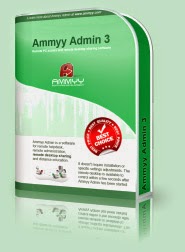
Ammyy Admin - 3


http://afctech2day.blogspot.com/2014/10/ammyy-admin-3.html#more

Ammyy Admin - 3

Zero-Config Remote Desktop Software Ammyy Admin. The easiest way to establish remote desktop connection.
You can easily share a remote desktop or control a server over the Internet with Ammyy Admin. No matter where you are, Ammyy Admin makes it safe and easy to quickly access a remote desktop within a few seconds.


Ammyy Admin is used by more than 40 000 000 personal and corporate users.

Remote desktop connection becomes easy with Ammyy Admin.


DOWNLOAD FROM HERE

PLEASE LEAVE A COMMENT BEFORE U LEAVE

Subway Surfers New Orleans v1.30.0


http://afctech2day.blogspot.com/2014/10/subway-surfers-new-orleans-v1300.html#more

Subway Surfers New Orleans v1.30.0


FOR MOBILES

Android Games

DOWNLOAD FROM HERE


desktop wall pappers


desktop wall pappers


DOWNLOAD FROM HERE


99 Names of Allah

99 Names of Allah


Letter sent by Prophet Muhammad to Cyrus Al-Muqawqas (Coptic Vicegerent in Egypt) inviting him to Islam

Letter sent by Prophet Muhammad to Cyrus Al-Muqawqas (Coptic Vicegerent in Egypt) inviting him to Islam

http://afctech2day.blogspot.com/2014/10/letter-sent-by-prophet-muhammad-to.html#more


The following is the letter sent by Prophet Muhammad (s.a.w.s.) to Cyrus Al-Muqawqas (the Coptic Vicegerent in Egypt) inviting him to Islam.
“In the Name of Allah, the Most Beneficent, the Most Merciful.
From Muhammad slave of Allah and His Messenger to Muqawqas, vicegerent of Egypt.
Peace be upon him who follows true guidance.
Thereafter, I invite you to accept Islam. Therefore, if you want security, accept Islam. If you accept Islam, Allah, the Sublime, shall reward you doubly. But if you refuse to do so, you will bear the burden of the transgression of all the Copts.
“Say (O Muhammad : ‘O people of the Scripture (Jews and Christians), come to a word that is just between us and you, that we worship none but Allah, and that we associate no partners with Him, and that none of us shall take others as lords besides Allah.’ Then, if they turn away, say: ‘Bear witness that we are Muslims.’ ” [Al-Qur'an 3:64]
Hatib bin Abi Balta‘a was chosen to communicate the message. Muqawqas later said to him: “We are in no position to relinquish our religion except for a better one.” Hatib said: “We invite you to embrace Islam, which will suffice you all what you may lose. Our Prophet has called people to profess this Faith.” He later continued and also said, “…the Christians (have) stood closest to his Call. Upon my life, Moses’s news about Christ is identical to the latter’s good tidings about the advent of Muhammad; likewise, this invitation of ours to you to embrace Islam is similar to your invitation to the people of Torah to accept the New Testament. Once a Prophet rises in a nation, he is eligible for positive response, hence you are subject to the same Divine Law. Bear in mind that we have not come to dissuade you from religion of Christ but rather bidding you to adhere to its tenets.” 


Muqawqas meditated over the contents of the letter deeply and said: “I have come to the conviction that this Prophet bids nothing abominable; he is neither a straying magician nor a lying soothsayer. He bears the true manifest seeds of Prophethood, and so I will consider the affair deeply.”
He took the parchment and ordered that it be kept in an ivory casket. He called a scribe to write the following reply in Arabic:
“In the Name of Allah, the Most Beneficent, the Most Merciful.
From Muqawqas to Muhammad bin ‘Abdullah.
Peace be upon you. I have read your letter and understood its contents, and what you are calling for. I already know that the coming of a Prophet is still due, but I used to believe he would be born in Syria. I am sending you as presents two maids, who come from noble Coptic families; clothing and a steed for riding on. Peace be upon you.” It is noteworthy that Muqawqas did not avail himself of this priceless opportunity and he did not embrace Islam.
The presents were accepted; Maria, the first maid (also latter called Maria Qubtia) became the wife of the prophet (s.a.w.s), and gave birth to his son Ibrahim; the other Sirin, married to the companion of the prophet (s.a.w.s) Hassan bin Thabit Al-Ansari.
— End

Tuesday, October 21, 2014

Free PDF to Word Converter 5.1


http://afctech2day.blogspot.com/2014/10/free-pdf-to-word-converter-51.html#more

Free PDF to Word Converter 5.1


Software Product Description

Free PDF to Word Converter is an easy to use utility that does swift conversions from PDF to Word. You just need to add the file which you intend to convert into the program and click Convert. It is that easy! This program will create an exact copy of the PDF file. It will retain all graphics, fonts and formatting. It supports all versions of MS Word so that you would not have any troubles editing the converted file.


Free PDF to Word Converter offers several ways to convert your documents; you can either right click the document and select "convert PDF to editable format" or use the program´s interface which is very intuitive and allows one-click-conversions.
Features:
  • Absolutely free, no charges or obligations.
  • User friendly interface.
  • Will retain the original layout of the document.
  • Fast conversion from PDF to Word.
  • Support for MS Word 2003 and 2007.
  • Supports all Windows systems. 

DOWNLOAD FROM HERE


PLEASE LEAVE A COMMENT BEFORE U LEAVE

Orbit Downloader


http://afctech2day.blogspot.com/2014/10/orbit-downloader.html#more

Orbit Downloader

Orbit Downloader is a Internet software developed by Orbit Downloader Team. After our trial and test, the software is proved to be official, secure and free. Here is the official description for Orbit Downloader:

Edit by Brothersoft: Orbit Downloader, leader of Download Manager revolution, is devoted to new generation web (web2.0) downloading, such as video/music/streaming media from Myspace, YImeem, Pandora, Rapidshare, support RTMP. And to make general downloading easier and faster.

New Features

Orbit Downloader 4.1 can download WebM Video and other
Tag make you manage your download files easily See more...

The top downloader manager of Windows 7
Grab Pro - Download RTMP protocol video
Download e-mail and forum attachments with great speed!

Maximum possible download speed, up to the fastest download manager!
Download social music and video include Pandora, Myspace easily
Support all streaming media protocol include RTMP/ MMS/ RTSP
Support all popular browsers include Firefox 3.

DOWNLOAD FROM HERE


PLEASE LEAVE A COMMENT BEFORE U LEAVE

Monday, October 20, 2014

HOW A MUSLIM SHOULD BE


HOW A MUSLIM SHOULD BE


HOW A MUSLIM SHOULD BE


The pure life led by each and every one of the Ashâb-i-kirâm (the Prophet’s companions) sets an example for us to follow. We should imitate them and try to deserve love of Allâhu ta’âlâ. A Muslim who follows in their footsteps will obey the commandments of Allâhu ta’âlâ and the laws of the state. It is sinful to disobey the commandments, and a crime to violate the law. A perfect Muslim will not commit sins or crimes. To be a ‘Muslim’ means to be a ‘good person’. He will know that Muslims are brothers. He will love his nation and his national flag. He will be good to all other people. He will never harm non-Muslims, tourists or disbelievers. He will not attack their property, lives, chastity or honour. He will admonish wrongdoers. He will not cheat or doublecross anyone. He will never quarrel. He will treat others with a smiling face and a sweet tongue. He will always work. He will learn his religion and science well. He will teach them to his children and to his acquaintances as well. He will not backbite others or gossip. He will always say useful things. He will earn a living through halâl (canonically legitimate) means. He will not impinge on anyone’s rights. A Muslim who has acquired these qualities will be loved by Allah as well as by people. He will lead a life in comfort and peace.
The word “Islam” in Arabic means “peace” and the word “Muslim’ in Arabic means “adherent to Islam”. An Islamic scholar explained how a Muslim should be:
1. A righteous Muslim’s happiness is apparent from his face and his sadness or despair is hidden in his heart.
2. A righteous Muslim’s heart is vast and his desires are modest.
3. A righteous Muslim avoids all kinds of evils and sins and is always eager to perform all form of goodness.
4. A righteous Muslim has no animosity, hatred or jealousy.
5. A righteous Muslim does not commit injustice nor does he use vulgar or abusive words.
6. A righteous Muslim hides the faults of others and does not backbite.
7. A righteous Muslim does not like fame and fortune for himself.
8. A righteous Muslim refrains from misery and sadness.
9. A righteous Muslim remains mostly silent and remains dignified.
10. A righteous Muslim constantly remembers Allâhu ta’âlâ and is patient and grateful.
11. A righteous Muslim is always worried about himself and is satisfied with his poverty.
12. A righteous Muslim is soft and compassionate.
13. A righteous Muslim is an embodiment of shame and modesty, protects his dignity and attempt not to grieve or trouble anyone.


14. A righteous Muslim does not accuse anyone (unduly) nor does he disgrace anyone.
15. If a righteous Muslim laughs, he does not laugh like idiots and if he gets angry he does not lose control.
16. A righteous Muslim’s laugh is a smile. His question is to gain knowledge and lengthening a conversation is to ensure that a point is understood properly.
17. A righteous Muslim has lots of knowledge and very tolerant.
18. A righteous Muslim is true to his word, is kind and compassionate.
19. A righteous Muslim is neither a miser nor does he rush things.
20. A righteous Muslim does not panic if his livelihood is reduced nor does he boast upon increased livelihood.
21. A righteous Muslim does not commit injustice or oppression in his decisions and does not waver or hesitate in his knowledge.
22. His intention is firmer than a rock and his companionship is sweeter than honey.
23. A righteous Muslim is neither greedy nor a coward.
24. A righteous Muslim is neither cold-hearted nor boastful and proud.
25. A righteous Muslim does not exaggerate when he speaks and he refrains from idle chat.
26. A righteous Muslim is fair and just even when he is angry and if he asks for anything he asks politely.
27. A righteous Muslim is neither heartless nor rebellious.
28. A righteous Muslim is sincere in love, true in his word and fulfils promises.
29. A righteous Muslim is compassionate, generous, mild-mannered and tolerant.
30. A righteous Muslim always remains happy with (the will of) Allâhu ta’âlâ and opposes the desires of the heart.
31. A righteous Muslim is not strict with those who trouble him and does not partake in things which have no benefit.
32. If he is insulted or abused unintentionally or by mistake, he does not respond with abuse and insult and does not get mad if he does not get his way.
33. A righteous Muslim is never happy at another person’s misfortune and does not talk ill of anyone.
34. A righteous Muslim is extremely open-hearted, generous, friendly and personable.
35. A righteous Muslim is kind and sympathetic.
36. A righteous Muslim is true to his word and is free of greed and gluttony.
37. A righteous Muslim spends little and is extremely helpful.
38. A righteous Muslim strictly avoids all unlawful things and stays away from doubtful things.
39. A righteous Muslim expresses gratitude during difficulties and is extremely patient when afflicted with grief.
40. A righteous Muslim is extremely courteous and has no evil in him.
41. If he is asked for anything, he gives it and if he is wronged, he forgives.
42. Even if he is poor he spends in the path of Allâhu ta’âlâ and if relations are broken with him, he tries to mend them kindly and mercifully.
43. A righteous Muslim constantly tests his heart and is sincere to his Lord.
44. A righteous Muslim is softer than foam, sweeter than honey and is firmer than a rock in matter of religion.
45. A righteous Muslim loves those troubles and difficulties that worldly people fear.
46. A righteous Muslim constantly invites others towards goodness and sincerely forbids them from evil.
47. A righteous Muslim fears the wrath of Allah and is always eager to please his Lord.
48. A righteous Muslim considers his knowledge to be limited and incomplete. He destroys his desires and prepares for his death.
49. When a righteous Muslim looks at his shortcomings and faults and realizes the status of his soul he begins to dislike respect and admiration of the soul and considers it evil to let his desires prevail. In his view the soul becomes disgraced and then it is possible to make it subservient (obedient) and make it serve him as he desires.
50. A righteous Muslim is helper and friend of the religion. He defends Muslims and supports the poor and needy.
51. A righteous Muslim does not like to hear his own praises and greed and materialism do not enter his heart.
52. Anger does not penetrate a righteous Muslim’s tolerance and kindness. Ignorance does not sully his knowledge and difficulties of the world do not weaken his determination and strength.
53. A righteous Muslim always speaks goodness and act upon it.
54. A righteous Muslim is knowledgeable and far sighted.
55. A righteous Muslim does not have loose morals nor is he ignorant and stupid.
56. A righteous Muslim does worry, but not so much that people can frighten or worry him. He is not wasteful but spends generously.
57. A righteous Muslim has increased knowledge and is not ignorant or foolish.
58. A righteous Muslim does not look for faults in others nor does he think of anyone as worthless or inferior.
59. A righteous Muslim is merciful to the creations of Allâhu ta’âlâ and is one who travels extensively.
60. A righteous Muslim helps the weak and is sympathetic to the oppressed.
61. A righteous Muslim does not disgrace anyone nor does he share anyone’s secrets with others.
62. A righteous Muslim is tested more frequently and he does not complain about them.
63. If a righteous Muslim sees some good being done he inform others about it and if he sees evil being done he hides it from others.
64. A righteous Muslim hides the faults of others, guards secrets, pardons errors and forgives mistakes.
65. A righteous Muslim does not leave goodness and turns away from stupidity and ignorance.
66. A righteous Muslim is trustworthy and firm.
67. A righteous Muslim is free from all forms of filth and is pure and clean.
68. A righteous Muslim is pious, obedient and always happy with the will of Allâhu ta’âlâ.
69. A righteous Muslim remains quite extensively but does not forsake talk.
70. A righteous Muslim accepts apologies and listens to advice.
71. A righteous Muslim always thinks good of others and thinks of himself and his soul as sinners.
72. A righteous Muslim loves for the sake of Allâhu ta’âlâ by using wisdom and intelligence and uses caution and care when breaking off relations for the sake of Allâhu ta’âlâ.
73. A righteous Muslim does not boast during happiness grief does not make him lose control.
74. Companionship of a righteous Muslim leads to expansion of knowledge.
75. Knowledge purifies a righteous Muslim from all evil habits just as fire purifies rust from mental.
76. A righteous Muslim does not embarrass through his kindness nor does he remind people about his favours.
77. A righteous Muslim reminds forgetful people and teaches the ignorant and unknowing people.
78. There is neither fear of being grieved nor is there a threat of trouble being caused by a righteous Muslim.
79. A righteous Muslim considers everyone else’s efforts better than his own and considers every other person’s soul as better than his own.
80. A righteous Muslim keeps an eye on his faults, remains busy in bettering himself and does not occupy himself with anyone other than his Lord.
81. A righteous Muslim’s heart and soul are always awake and are unique.
82. A righteous Muslim is a stranger to all around him.
83. A righteous Muslim loves Allâhu ta’âlâ and is constantly busy in trying to please Him.
84. A righteous Muslim does not take revenge for himself and does not make friends with anyone who displeases Allâhu ta’âlâ.
85. A righteous Muslim befriends those who remember Allâhu ta’âlâ. He keeps the company of those who are pious and truthful and prefers the people of truth.
86. A righteous Muslim is a friend and helper for the helpless and a guardian of orphans.
87. A righteous Muslim is a helper to widows and is sympathetic towards the needy and poor.
88. A righteous Muslim can be relied upon in all kinds of difficulties and can be depended upon in all situations.
89. A righteous Muslim remains cheerful and happy.
90. A righteous Muslim is not grumpy and sour and is not fooled by anyone’s charms.
91. A righteous Muslim is affectionate and is pure and truthful.
92. A righteous Muslim curbs anger and smiles abundantly.
93. A righteous Muslim is far-sighted and is graceful and majestic.
94. A righteous Muslim remains thankful and satisfied even when on a journey and does not become forgetful.
95. A righteous Muslim is famous and well known in his area and his household is unaware of his status. Some people have hatred for him because of jealousy.
96. A righteous Muslim is a helper.
- These points are taken from the book of Shaykh Dhun-Nun Misri which is published by Idrif-i Islami (India), the word ‘believer’ is replaced as ‘righteous Muslim’ here.
*****************


Friday, October 10, 2014

FileZilla 3.9.0.5


 FileZilla 3.9.0.5

FileZilla 3.9.0.5


FileZilla is one of the most popular free FTP clients on the internet market, enabling millions of users from all around the world to take full advantage of the FTP standard for network connectivity, no matter what modern operating system they have (app supports all versions of Windows after WinXP, Linux, and MacOS).  With small local storage, processing and memory footprint, FileZilla without any doubt represents the perfect FTP file transferring solution for users of all knowledge levels, excluding only the most ambitious experts  that require access to the very rarely found features, most notably file transfer scheduler.

First version of FileZilla was created by Tim Kosse and his two friends in June of 2001 as a computer science class project. Initially created as an open source project, this intuitive and very streamlined FTP manager very quickly became widely popular, finding itself in the top 10 lists of many popular app downloading sites and receiving glowing reviews form internet media.  One of the most praised aspects of the FileZilla (in addition to its stability, security and wide array of features that were added over years) is its interface, which can be very easily controlled even by users who don’t have much technical knowledge about FTP connections and networking. In addition to FTP command listing and file transfer showcase area, FileZilla uses structure of double file manager windows for both source and server content listings. This makes managing file transfers extremely easy for everyone who ever had little experience in managing Windows Explorer.

FileZilla is a small in size, but powerful FTP client. Despite lacking a scheduler, and is an excellent open source FTP client. It's stable, fast and very efficient. FileZilla is easy to use and comes with multitude of features, the most important of them being:

FileZilla Main Features:

    Easy to use
    Best performance and memory consumption
    Supports FTP, FTP over SSL/TLS (FTPS) and SSH File Transfer Protocol (SFTP)
    Cross-platform. Runs on Windows, Linux, *BSD, Mac OS X and more
    IPv6 support
    Available in many languages
    Supports resume and transfer of large files >4GB
    Tabbed user interface
    Powerful Site Manager and transfer queue
    Bookmarks
    Drag & drop support
    Configurable transfer speed limits
    Filename filters
    Directory comparison
    Network configuration wizard
    Remote file editing
    Keep-alive
    HTTP/1.1, SOCKS5 and FTP-Proxy support
    Logging to file
    Synchronized directory browsing
    Remote file search


DOWNLOAD FROM HERE

PLEASE LEAVE A COMMENT BEFORE U LEAVE

Ashampoo WinOptimizer 11.00.41


 Ashampoo WinOptimizer 11.00.41

Ashampoo WinOptimizer 11.00.41


Ashampoo WinOptimizer 11 the tuning specialist for your PC. We all like fast and secure computers, but only constant system maintenance and time-consuming optimizations will keep them that way. Those of us who like to invest time and effort to keep up with the latest developments may very well
handle those tasks using default Windows tools alone. As system experts, they love to accelerate their machines, protect their privacy, clean and backup system files, fix common Windows errors any perform many other tasks. This not only sounds like a lot of work, it is!

Our WinOptimizer will do the work for you, easy, fast and efficiently. It will give you maximum performance and security and save you precious time so you can get real work done instead.

Features:

frees space
Make orphaned files, program remains and temporary files disappear and delete no longer needed ********s irrevocably. Find duplicate files and track down resource hogs. Reclaim your disk space!

fixes errors
Clean your Windows Registry, fix file system errors and monitor the health of your disk drives. Just say No to Windows errors!

guarantees steady performance
Use the powerful Live Tuner to auto-tune your applications for maximum speed and optimize your Internet connection. Get more performance out of your PC!

protects your privacy
Wipe all Internet traces from your system and encrypt sensitive data safely. Now, you decide what information is automatically sent to Microsoft on a regular basis. Protect yourself against prying eyes!

customizes Windows to your needs
Adjust hidden system settings, alter file type associations or adjust context menu entries easily. More flexibility for you!

More power under the hood
Ashampoo WinOptimizer 11 not only provides extensive system details but it is also the fastest WinOptimizer ever. Completely redeveloped core algorithms and radical program code optimization make it a screamer.

Live Tuner 2.0 More efficient, more effective, more versatile
With brand-new algorithms, Live Tuner can accelerate applications more effectively while using less memory resources. Options for rule-based tuning have also been greatly enhanced.

Game Booster Turbo for gamers
Game Booster gives you excellent gaming performance at the click of a button. All non-essential Windows processes will automatically be shut down and memory freed. Perfect gaming conditions instantly.

User Rights Manager Have it your way
Discover the easiest way to define which actions, settings or applications can happen on your machine. For example, prevent your kids from installing programs, altering critical system settings or launching unsuitable applications.

Faster, leaner, more efficient
Ashampoo WinOptimizer 11 starts up faster and requires less memory. This is especially true for Live Tuner that can now optimize application processes more efficiently. The detection rate for all cleaners has been increased and the integrated backup system now supports incremental backups for modified system files
VISIT AGAIN 4 FREE SOFTWARES,GAMES,WALL PAPERS AND MANY MORE…….

Size : 37 MB
Licence : Shareware
Release date : 05/08/2014


DOWNLOAD FROM HERE

OR

DOWNLOAD FROM HERE

PLEASE LEAVE A COMMENT BEFORE U LEAVE

Ashampoo WinOptimizer 11.00.41


 Ashampoo WinOptimizer 11.00.41

Ashampoo WinOptimizer 11.00.41


Ashampoo WinOptimizer 11 the tuning specialist for your PC. We all like fast and secure computers, but only constant system maintenance and time-consuming optimizations will keep them that way. Those of us who like to invest time and effort to keep up with the latest developments may very well handle those tasks using default Windows tools alone. As system experts, they love to accelerate their machines, protect their privacy, clean and backup system files, fix common Windows errors any perform many other tasks. This not only sounds like a lot of work, it is!

Our WinOptimizer will do the work for you, easy, fast and efficiently. It will give you maximum performance and security and save you precious time so you can get real work done instead.

Features:

frees space
Make orphaned files, program remains and temporary files disappear and delete no longer needed ********s irrevocably. Find duplicate files and track down resource hogs. Reclaim your disk space!

fixes errors
Clean your Windows Registry, fix file system errors and monitor the health of your disk drives. Just say No to Windows errors!

guarantees steady performance
Use the powerful Live Tuner to auto-tune your applications for maximum speed and optimize your Internet connection. Get more performance out of your PC!

protects your privacy
Wipe all Internet traces from your system and encrypt sensitive data safely. Now, you decide what information is automatically sent to Microsoft on a regular basis. Protect yourself against prying eyes!

customizes Windows to your needs
Adjust hidden system settings, alter file type associations or adjust context menu entries easily. More flexibility for you!

More power under the hood
Ashampoo WinOptimizer 11 not only provides extensive system details but it is also the fastest WinOptimizer ever. Completely redeveloped core algorithms and radical program code optimization make it a screamer.

Live Tuner 2.0 More efficient, more effective, more versatile
With brand-new algorithms, Live Tuner can accelerate applications more effectively while using less memory resources. Options for rule-based tuning have also been greatly enhanced.

Game Booster Turbo for gamers
Game Booster gives you excellent gaming performance at the click of a button. All non-essential Windows processes will automatically be shut down and memory freed. Perfect gaming conditions instantly.

User Rights Manager Have it your way
Discover the easiest way to define which actions, settings or applications can happen on your machine. For example, prevent your kids from installing programs, altering critical system settings or launching unsuitable applications.

Faster, leaner, more efficient
Ashampoo WinOptimizer 11 starts up faster and requires less memory. This is especially true for Live Tuner that can now optimize application processes more efficiently. The detection rate for all cleaners has been increased and the integrated backup system now supports incremental backups for modified system files


Size : 37 MB
Licence : Shareware
Release date : 05/08/2014


DOWNLOAD FROM HERE

PLEASE LEAVE A COMMENT BEFORE U LEAVE

PC Auto shutdown v5.9


 PC Auto shutdown v5.9

PC Auto shutdown v5.9


PC auto Shutdown - the program to turn off the computer on a schedule. In PC auto shutdown can set hotkeys to overload or shut down your computer. The utility can synchronize your PC time with time servers, on and off the computer, monitor, shut down or connect to the Internet and run any program.

Key features
* Shut down, power off, reboot, hibernate, suspend or log off computers at schedule time.
* Shut down, power off, reboot, hibernate, suspend or log off computers at schedule time when no user is logged in
* Activate computers from suspended power conservation mode, and shut down, power off, reboot, hibernate, suspend or log off computers at schedule time
* Different schedules to meet your needs.
* You can set up hotkeys to shut down your computer instantly.
* Clean up IE ******s, history, temporary files and Recycle Bin to protect your privacy.
* Set password to avoid others changing your schedule configuration.
* Customize alarm sound and countdown duration during shutdown.


DOWNLOAD FROM HERE


PLEASE LEAVE A COMMENT BEFORE U LEAVE

Zoom Player MAX 9.4.1 Final


  Zoom Player MAX 9.4.1 Final

 Zoom Player MAX 9.4.1 Final


oom Player is the most Powerful, Flexible and Customizable DVD and Media Player for the Windows PC platform. Using the powerful Smart Play technology, more image, audio and video media formats play with less hassle, increased stability and better performance. Behind Zoom Player’s classic media Player look, hides a powerful Media Center application designed with a simple 5-Key (up/down/left/right/select) fullscreen navigation interface. The 5-Key system provides simple navigation with advanced interfaces. Interface such as the Media Library, File Browser, Playlist, Color Control, Audio Equalizer, Bookmarks, Play History and many more. Zoom Player’s media center simplicity makes it ideal for users with no previous computer experience.

With Zoom Player, you can instantly convert any PC into a Home Entertainment Center (HTPC) with no specialized hardware requirement or operating system. Zoom Player runs with every version of Windows.

Zoom Player is fully scalable, supporting the latest media formats and interfaces. Utilizing the modular design and flexibility, you can easily design a safe viewing environment, limiting or extending functionality, making it ideal for both newbies and professionals.

Building a Home Theater PC
Zoom Player’s fullscreen navigation interface is based on a simple 5-Key system (up/down/left/right/select). The 5-key system allows easy access and navigation to such interfaces as Media Library, File Browsing, Playlist, Color Control, Audio Equalizer, Chaptering, Play History and many more. With Zoom Player, you can instantly Convert any PC into a Home Entertainment Center or Home Theater PC (HTPC) with no requirement for specialized hardware or operating system (Zoom Player runs on every version of Windows).
Smart Play Technology
Zoom Player installs easily, learning your computer’s hardware and software using innovative Smart Play technology. Zoom Player employs the ideal “play profile” for every media format. The profile comprises the most suitable Audio and Video decoders – a combination that guarantees a perfect viewing experience, every time.
A tool for every need
Zoom Player addresses every aspect of DVD and Media control. Zoom Player plays media in every conceivable color composition, display type, playback speed and more. With Zoom Player you can create and manage personalized Media Libraries, virtual Chaptering and Bookmarks, cut and edit scenes with the Scene Cut Editor. Zoom Player employs customizable display characteristics and user defined presets, allows to Remote-Control all menu, navigation and playback functions via wireless (RF) or Infra-Red (IR) Remote Control units, and comes ready with a set of TCP/IP Commands to allow control of Zoom Player via the internet (or any TCP/IP based connection).
Customize, Modify, Reshape as you like
Use player’s flexible customization options to match your taste. Modify the Graphical User Interface, menus and splash screens. Change operation modes, control options, codec compatibility and many other features. Don’t compromise. Make the system meet your EXACT needs. Shape your desired viewing environment with ease using Zoom Player’s modular design and flexibility. Extend or limit functionality as you wish. Personalize the interface, functions and viewing parameters to suit any type of use, any viewer – from a simple, safely monitored, children-friendly viewing tool to a sophisticated, no-limits powerhouse for professionals.

Zoom Player Free
The best things in life are free. With Zoom Player Home FREE, you can start exploring the most powerful media Player for the Windows PC NOW!

Zoom Player Home MAX
If you are a serious, no-compromise user looking for pure playback perfection, total control of your media files, the latest in video and audio processing technologies and the maximum flexibility in usage and configuration, then Home Edition Max is your choice!

Zoom Player Home Professional


DOWNLOAD FROM HERE

PLEASE LEAVE A COMMENT BEFORE U LEAVE

WinRAR 5.20 Beta1 x86/x64


  WinRAR 5.20 Beta1 x86/x64

 WinRAR 5.20 Beta1 x86/x64


WinRAR 5 is a powerful archive manager (Windows, Linux, Mac). This is a powerful compression tool with many integrated additional functions to help you organize your compressed archives. It can backup your data and reduce size of email attachments, decompress RAR, ZIP and other files downloaded from Internet and create new archives in RAR and ZIP file format. The archiver puts you ahead of the crowd when it comes to compression. By consistently creating smaller archives, winrar is often faster than the competition. This will save you disc space, transmission costs AND valuable working time as well. winrar is ideal for multimedia files. It automatically recognizes and selects the best compression method.

The special compression algorithm compresses multimedia files, executables and object libraries particularly well. RAR files can usually compress ******* by 8 percent to 15 percent more than ZIP files can.

Features:
Using winrar puts you ahead of the crowd when it comes to compression by consistently making smaller archives than the competition, saving disk space and transmission costs.
The program provides complete support for RAR and ZIP archives and is able to unpack CAB, ARJ, LZH, TAR, GZ, ACE, UUE, BZ2, JAR, ISO, 7Z, Z archives.
WinRAR offers a graphic interactive interface utilizing mouse and menus as well as the command line interface.
WinRAR is easier to use than many other archivers with the inclusion of a special “Wizard” mode which allows instant access to the basic archiving functions through a simple question and answer procedure. This avoids confusion in the early stages of use.
WinRAR offers you the benefit of industry strength archive encryption using AES (Advanced Encryption Standard) with a key of 128 bits.
WinRAR supports files and archives up to 8,589 billion gigabytes in size. The number of archived files is, for all practical purposes, unlimited.
WinRAR offers the ability to create selfextracting and multivolume archives.
Recovery record and recovery volumes allow to reconstruct even physically damaged archives.
WinRAR features are constantly being developed to keep winrar ahead of the pack.


Author: RarSoft
Date: 2014-10-06
Size: 3.52 MB
License: Keygen
Requires: Win 2000/03/08/XP/Vista/7/8


DOWNLOAD FROM HERE


PLEASE LEAVE A COMMENT BEFORE U LEAVE

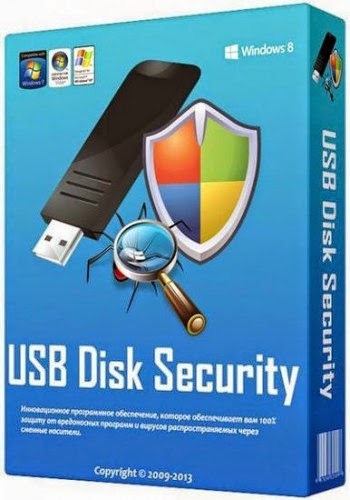
USB Disk Security 6.4.0.240


 USB Disk Security 6.4.0.240

USB Disk Security 6.4.0.240


 USB Disk Security provides 100% protection against any threats via USB drive, however, the majority of other products are unable even to guarantee 90% protection. USB Disk Security is the best antivirus software to permanently protect offline computer without the need for signature updates, but other antivirus software should update signature database regularly, and they cannot effectively protect offline computer. This light and easy to use solution is 100% compatible with all software and doesn't slow down your computer at all. You pay USB Disk Security once and get it all, however, other antivirus products should be paid for updates every year.

Product Highlights:

100% protection against any malicious programs via USB storage

USB Disk Security uses innovative proactive technology to block any threats via USB drive. There are relatively few products available in shops or on the Internet which offer even close to 100% protection against any malicious programs via USB drive. The majority of products are unable even to guarantee 90% protection. USB Disk Security is the world's best software to block threats via USB drive.

The best solution to protect offline computer

Other antivirus software should update signature database regularly, and they cannot effectively protect offline computer that is not connected to the Internet. When new viruses, worms and other malicious attacks strike, traditional signatures are insufficient. Every minute one waits for a virus signature update creates a window of vulnerability that could have devastating consequences. USB Disk Security uses advanced proactive detection techniques, requires no signature updates, and closes the window of vulnerability left open by other reactive, signature-based responses.

The world's fastest and smallest antivirus software

With USB Disk Security, it's not necessary to sacrifice speed for detection and scanning. Compare antivirus software and you'll discover that USB Disk Security is by far one of the smallest applications in the industry. For example, the v5.0 of USB Disk Security installer is just 1 MB. The program utilizes approximately 1 to 7 MB of RAM.

100% compatible with all software

Incompatibility between antivirus programs is an issue. In the vast majority of cases, installing two antivirus programs from different vendors on one machine (for increased protection) is technically impossible, as the two programs will disrupt each other's functioning. However, USB Disk Security is 100% compatible with all software, including Windows 7.

Simple to use

USB Disk Security has been specifically designed to perform effectively regardless of the user's level of computer expertise. Just install and forget it.


PLEASE LEAVE A COMMENT BEFORE U LEAVE

Skype 6.21.73.104 Final


 Skype 6.21.73.104 Final

Skype 6.21.73.104 Final


Skype lets you make Internet-based VoIP (voice over Internet protocol) phone calls for free to anyone in the world who also uses Skype on their PC, and make inexpensive calls from your PC to landlines and cell phones worldwide. Skype uses P2P (peer-to-peer) technology to connect you to other users – not to share files this time, but to talk and chat with your friends. The technology is extremely advanced – but super simple to use… You’ll be making free phone calls to your friends in no time! It’s also an instant messenger as well, because has integrated chat. Skype is the simplest way to save money on your phone bill. Skype does more than phone calls. It also lets you video chat and text chat as well, and send SMS messages.

The newest version of Skype also features nifty integration with Firefox – you can call any phone number you see on a Web site with one click. Skype will automatically recognize your headset, microphone, and speakers, so you don’t need to worry about configuration.

To call another Skype user, enter a user name, and you’re ready to go. You can also save a list of users, so calling them back is simple. To call landlines and cell phones, you’ll need to set up an account and buy credit. Then, whenever you make a call, that credit is used. Calling other people on Skype is free so you can talk whenever you want to – not just on special occasions. Call to check in with mum when you’re travelling, give your partner a goodnight kiss via video call when they’re away on business, or use it for your regular calls and catch ups. And, if you know people who don’t use Skype you can call them too at really low rates.

Popular and preeminent VoIP service Skype has wooed its fair share of people with an itch to ditch the landline and an Internet connection, especially those with international contacts. With its latest update to version 5, the company hopes to win over even more customers and keeping the current ones happy. Skype 5.0 features a streamlined interface, Facebok integration, and videoconferencing functionality. Last but not least, Skype now has Facebook integrated seamlessly into the interface. A tab along the top of the screen will take you into your news feed, where you can update your status as well as start Skype calls with various contacts.

Skype was founded in 2003 by Niklas Zennström and Janus Friis. Skype created a little piece of software that makes communicating with people around the world easy and fun. With Skype you can say hello or share a laugh with anyone, anywhere. And if both of you are on Skype, it’s free.
Skype is available in 28 languages and is used in almost every country around the world. Skype generates revenue through its premium offerings such as making and receiving calls to and from landline and mobile phones, as well as voicemail and call forwarding.

OS: Win 2000/ XP/ Vista/ Win7/ Win8
Date: 2014-10-06
Language: Multilanguage
Crack: freeware
Size: 31 MB

DOWNLOAD FROM HERE

PLEASE LEAVE A COMMENT BEFORE U LEAVE


PAGE NO.

WELCOME TO GOOGLESOFT2DAY.BLOGSPOT.COM FOR FREE AND FULL VERSION REGISTED SOFTWARE'S,GAMES,WALLPAPER'S DESKTOP THEMES AND MANY MORE FOR FREE PLEASE HIT LIKE MY FB PAGE AND COMMENT THANK U…